Kahore he tarainga tahere i te ara
You cannot hew a bird spear by the way
 |

Bird-spear points. From New Zealand Electronic Text Collection Taken from "The Maori as he was: A brief account of life as it was in the Pre-European Days" By Elsdon Best
Things 16 and 17 are entitled Productivity in research, what this weeks whakatauki alludes to is the need for preparation. Bird spears were not easily made and needed time and skill to be made properly. Productivity can be seen in this whakatauki in the making of the birdspears however I think that an essential part of productivity is preparation.
Reference management tools are a part of that preparation.
 I am a fan of folders and sub-folders for organisation, I have stated this in my posts about things 5 and 6 The Hors' douveres
 For reference management I prepare myself firstly by using our own Library Search (Library Catalogue)

by wlef70
In Library Search we are able to check due dates, renew our
 books, and see what fines we have . There is more functionality in Library Search which allows us to save items from the catalogue. You are able to save your items in my beloved folders and even sub-folders. If you wanted to you could also save your searches and set up RSS Feeds.
 "This is all good" I hear you say "but how does this translate into references and reference lists?"
Part of the functionality that I spoke of earlier is an ability to Select items (Click on the boxes next to the item)
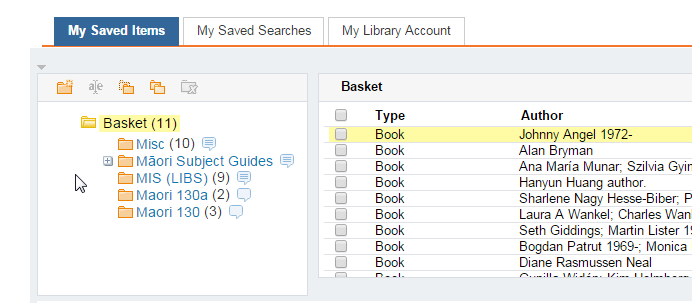

and Push them through to your preferred reference management tool
I always suggest to first year students that they should start by referencing manually while their essays and assignments are quite short, this is so that they understand why and how to reference. They also gain an ability to recognise an error in an in-text citation and/or reference list made by a reference management tool.
I used Endnote and Endnote Web for my MIS (Libs) research report (Yes I know shameless self promotion)
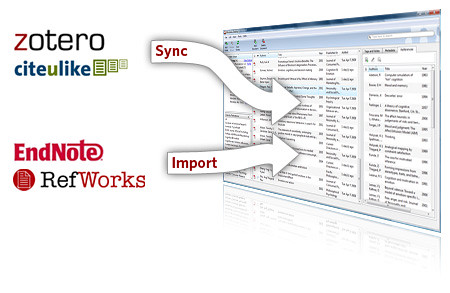

I signed up for a RefWorks account as that is the current reference management tool promoted and supported by the UoA, and I also have a Zotero account as well. I don't think that there is one that is better than the other as I think it comes down to personal preference.
Thing 17 hmmm well I have had a look and also signed up for an Evernote account. In our Twitter "Thing" I admitted that

I had only just realised what a hash-tag was and how they were used. Evernote, our own library search and a multitude of social media now allow tags/labels/hash-tags which allows the user to label items of interest to them. I have come to think of hash-tags

 by romana klee
 labels

and tags as a very effective access and organisational tool.
The ability to make your own tags/labels/hash-tags helps to access your current resources and focus further searches. Also if other people have used the same label then you will see their resources as well.
Having multiple tab/label/hash-tags stops you having to decide into which folder a resource most belongs or having multiple copies of the same resource in different folders.
Looking at Evernote I would use the existing notebook structure in the following way
- Each chapter/section of my research would be allocated a Notebook
- Any search including key words and search terms would be noted in the appropriate notebook/s
- Results or the URL for the results would be noted
- Resources of particular interest would be noted
- All notes would be given tags as well as being placed in the appropriate notebook/s
- My own notes from seminars/conferences/courses if not added directly would be scanned, uploaded and allocated appropriate tags and notebook/s
Of course this is just a brief idea of how I would use Evernote in research. I would basically make it the central hub for the resources in my research.


For more shameless self promotion follow this note from my Evernote account. I will try the personal smart device one a little later.


