Translate

Thursday, 20 November 2014

Gelee: Small Reisling inter-course palate refresher

Ka mate kainga tahi, ka ora kainga rua

With one house want, with two houses plenty


This whakatauki is similar to don't keep all your eggs in one Basket, I thought this an 


Eggs by jronaldlee, on Flickr

Creative Commons Creative Commons Attribution 2.0 Generic License   by  jronaldlee 

appropriate whakatauki because of my habit of saving a copy of important documents on my desk-top and a copy using one of the many cloud storage options that are open to us and of which we learned in thing 18. 

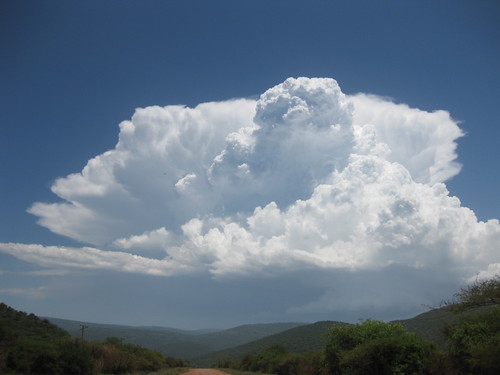
Clouds by fifikins, on Flickr

Creative Commons Creative Commons Attribution 2.0 Generic License   by  fifikins 

While studying a friend of mine had a file he was working on corrupted which rendered the 
disk he had saved all his files on inoperative. His experience highlighted for me the need to save often, save in multiple places.

Some of the uses I have had for cloud storage 

  • Meeting minutes and agenda for different councils and committees I have been a part of. I would save all the attached documents to the cloud and could access them which meant no printing (Or carrying heaps of papers on the plane)
  • Sharing and saving parts of my research for my MIS (Libs), less hassle carrying everything around with you and partnered with reference management tools (I had attached notes and the article or a scanned pdf to the items record) all I needed was a laptop or netbook, with some internet access I could continue working on my research report wherever I was in the world.
  • Writing a brief journal while away at conference in a document and uploading to the cloud when I could, using either my phone or tablet. Very handy for those reports that you have to write on your return.
  • Of course a lot of us now have smart devices which take pictures and these are quite often now sent to some space in the cloud, for easy access and use later on (also saves space on your devices memory)
I am sure there are many more uses that people can think of but this is the way I have used cloud storage to date. Scarily when I looked at the list that was in Thing 18 this week I was mortified that I have an account with all but one of those on the list, and I intend to keep them. 

Thing 19 is about Live communication, it has always been my preference for face to face communication. I found that even in my undergraduate lectures that if I couldn't see the face of the lecturer I would often leave the lecture and grab notes off a friend. New technologies now allow us to talk and see our friends wherever they are in the world either through our computers or any number of mobile devices. I have skyped a friend using my tablet, Video called my brother on my phone, Hung out using Google on my net-book at home and had a discussion with a colleague using Face-time on an i-Pad mini. I am sure that we can all see the significance of real time face to face communications with our colleagues via some form of video conferencing, especially if the programme you're using has other tools such as remote control and screen sharing of the device and using presentation software such as PowerPoint, Prezy or Slides.

Wednesday, 12 November 2014

The Main: Things 16 And 17

Kahore he tarainga tahere i te ara

You cannot hew a bird spear by the way


Things 16 and 17 are entitled Productivity in research, what this weeks whakatauki alludes to is the need for preparation. Bird spears were not easily made and needed time and skill to be made properly. Productivity can be seen in this whakatauki in the making of the birdspears however I think that an essential part of productivity is preparation.
Reference management tools are a part of that preparation.

Folder icons by wlef70, on FlickrI am a fan of folders and sub-folders for organisation, I have stated this in my posts about things  5 and 6 The Hors' douveres  

For reference management I prepare myself firstly by using our own Library Search (Library Catalogue)


Creative Commons Creative Commons Attribution-Noncommercial-Share Alike 2.0 Generic License
by  wlef70 


In Library Search we are able to check due dates, renew our 
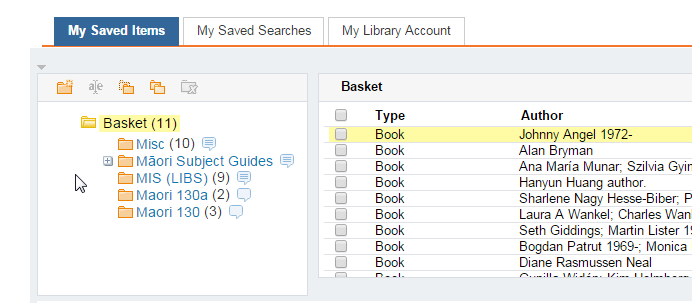
books, and see what fines we have . There is more functionality in Library Search which allows us to save items from the catalogue. You are able to save your items in my beloved folders and even sub-folders.  If you wanted to you could also save your searches and set up RSS Feeds. 

"This is all good" I hear you say "but how does this translate into references and reference lists?"

Part of the functionality that I spoke of earlier is an ability to Select items (Click on the boxes next to the item) 


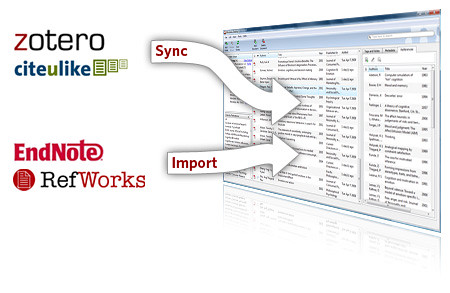
and Push them through to your preferred reference management tool 

I always suggest to first year students that they should start by referencing manually while their essays and assignments  are quite short, this is so that they understand why and how to reference. They also gain an ability to recognise an error in an in-text citation and/or reference list made by a reference management tool. 

I used Endnote and Endnote Web for my MIS (Libs) research report (Yes I know shameless self promotion)


I signed up for a RefWorks account as that is the current reference management tool promoted and supported by the UoA, and I also have a Zotero account as well. I don't think that there is one that is better than the other as I think it comes down to personal preference.

Thing 17 hmmm well I have had a look and also signed up for an Evernote account. In our Twitter "Thing" I admitted that  
Quick Tip: Use Evernote to back up your by joe.ross, on Flickr
Creative Commons Creative Commons Attribution-Share Alike 2.0 Generic License   by  joe.ross 

I had only just realised what a hash-tag was and how they were used. Evernote, our own library search and a multitude of social media now allow tags/labels/hash-tags which allows the user to label items of interest to them. I have come to think of  hash-tags
//\ by romana klee, on Flickr

Creative Commons Creative Commons Attribution-Share Alike 2.0 Generic Licenseby romana klee 


labels  
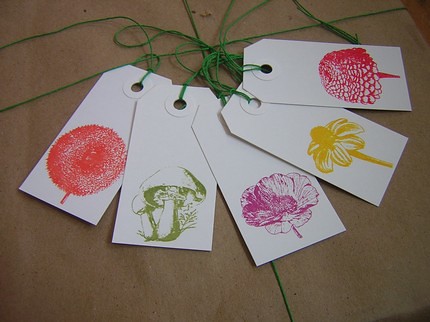
gift tags by Sarah Parrott, on Flickr


and tags as a very effective access and organisational tool. 

The ability to make your own tags/labels/hash-tags helps to access your current resources and focus further searches. Also if other people have used the same label then you will see their resources as well.

Having multiple tab/label/hash-tags stops you having to decide into which folder a resource most belongs or having multiple copies of the same resource in different folders.

Looking at Evernote I would use the existing notebook structure in the following way

  • Each chapter/section of my research would be allocated a Notebook
  • Any search including key words and search terms would be noted in the appropriate notebook/s
    • Results or the URL for the results would be noted
    • Resources of particular interest would be noted
  • All notes would be given tags as well as being placed in the appropriate notebook/s
  • My own notes from seminars/conferences/courses if not added directly would be scanned, uploaded and allocated appropriate tags and notebook/s
Of course this is just a brief idea of how I would use Evernote in research. I would basically make it the central hub for the resources in my research.

centre of the universe by 416style, on Flickr

Creative Commons Creative Commons Attribution 2.0 Generic License   by  416style 

For more shameless self promotion follow this note from my Evernote account. I will try the personal smart device one a little later.


Sunday, 2 November 2014

Salad Course: A warm Kumara salad with walnuts ohh and also Things 14 and 15


Kāore te kumara e kōrero mō tōna ake reka

The Kumara does not say how sweet it is

"Kumara" by Sarah Licensed under CC BY-NC-SA 2.0
This weeks things have been combined and I will put them under the term acknowledgement. The whakatauki this week is applicable not only because this is the salad course, but because it reminds us that it is our job as researchers and users of original materials, ideas and concepts to acknowledge the work of those that create the materials we are using. 

For this weeks exercise I found on the creative commons.org site this wiki which is about best practice for attribution and where I got the idea for how to acknowledge where I got the kumara image from. 

I have to admit that I didn't read our exercise for the week properly at the start and found a cheat from a website called ImageCodr where you put the flickr picture url into a box and it will generate html code with the image and the appropriate Creative Commons Licences. You then add the html into your blog and hey presto you get the picture below it is from Flickr and is a place close to my heart called Anaura bay on the East Coast of the country where my Nanny (Grandmother) grew up.

Anaura Bay sunset by mpeacey, on Flickr

Creative Commons Creative Commons Attribution-Noncommercial 2.0 Generic License
   by  mpeacey 

I was going to use the cheat until I read through our exercise and saw that we were to download, upload and acknowledge the original creator including the use of the appropriate CC licenses... Gosh lucky I went through the things again.

Friday, 31 October 2014

Fish Course: Things 12 & 13

He aha te kai ō te rangatira? He kōrero, he kōrero, he kōrero

What is the food of chiefs?. It is knowledge, it is communication


Kia ora koutou katoa, greetings to you all, this week is all about knowledge and communication. The translation above is not by any means a direct translation, however I believe that it is an appropriate one, kōrero in this context is not just about speaking, it is about being an active participant in the conversation, which includes listening, questioning, and taking on board any ideas or concepts from the information that is being shared.

Thing 12 is about making and sharing presentations and videos at the bottom of this post you will see the powerpoint presentation (now on slideshare) that I gave for my very first conference workshop entitled "Breaking the Barriers".  I am hoping to change the presentation on a regular basis, maybe monthly. I do however believe that more important than the presentation was the discussion and notes from each of the questions which I will post soon.


Tuesday, 21 October 2014

Sorbet: A refreshing palate cleanser and for the "23 Things" crew "Things 10 &11"

Naku te rourou nau te rourou ka ora ai te iwi

With your basket and my basket the people will live

The whakatauki this week speaks to the idea of co-operation and the joining of resources to achieve positive outcomes for all involved. I know I am reaching with this whakatauki but I can see how this could be applied to this weeks "Things" because it is by sharing what we have created and that which we have found to achieve mutual benefit for all parties. This week we are asked to share a blog from another of the "23 Things" crew. I decided that I would share this one by  Nicole Price

Digital exploration: Cyber Safety - Thing 2,3 & 4: Step one was to make the decision to undertake the journey, step two is to ensure that the boat and any equipment I might need is safe and ...

I have chosen this post because I enjoy the style of writing that Nicole uses and her use of images within the blog (which I tried to emulate in a couple of my last posts). I also like the links to other relevant sites that she includes within her posts.

I believe that to be able to reach our target audiences we have to ensure that our blogs, and the other social media platforms we use are written in styles that encourage engagement and I think that Nicole does a very good job of this.

For "Thing 11"  I have an embedded you tube video which is a short remix of a longer presentation Using social media to disseminate research outputs -- Melissa Terras which is also available on you tube. I decided to use the remix to generate interest in the original longer presentation. 


Although really superficial at 1:35 seconds there is still information of interest to the 23 Things "Crew" such as

  • Use of multiple social media platforms
    • Blog (write about your research)
    • Twitter (Tweet links to your blog and your research
  • Need to build a digital presence and then use of that to launch your research

This Link is from one of the databases that we are subscribed to called Alexander Street Press (ASP)., please have a look:  

How to Annotate and Share Research Using Online Social Bookmarking 

To access this video you will need to use your net ID and password.  The reason I added this was we just recently had a "Thing" that referred to bookmarks and RSS Feeds so I thought it appropriate for the "23 Things" Crew.   

  • A basic how to use Diigo for organisation of your readings, research and bookmarks. (Looks similar to Delicious
  • ASP provide very good transcriptions for most of their video and audio resources. 
Lastly I also thought that it would be an opportunity to shamelessly promote our own online databases  (both Education in Video and Counseling and Therapy in Video are provided by ASP.)

Note:  Nearly all the databases with titles that end in "... in Video" are from ASP


Sunday, 19 October 2014

Soup Course: Things 8 & 9

Ehara taku toa, he taki tahi, he toa taki tini

It is not my strength alone, but the strength of many that contribute to my success


Kia ora koutou katoa,

The whakatauki for this week can be applied to both the Professional Profile and the Research profile ”Things 8 &9” in that we are hoping with both of these “things” to capture an audience, and through the power of  word of mouth have our professional and research profiles foremost in peoples minds. The work of the individual in this case is our profiles both professional and research shared to the world via our own contacts and Google Searches, the work of the many are our contacts or followers who can spread our research or put our names forwards if they know of positions they think match our skill and personalities.

I have had a LinkedIn account for a while and use it intermittently What I like about it is
  • It is tailored to my professional goals and aspirations for work
  • Is easy to use with good functionality
  • Gives me a profile which looks professional and that showcases my job skills and experiences
I imagine watching an awesome presentation at conference, looking up that person on linkedin and keeping tabs of their professional profile until I hear of a position at my institution which is perfect for them and either share the job ad with that person or share their profile with my human resources or senior contacts within the institution


 I had never seen the Academia.edu site before and decided that I would join. It is very easy to use and I have already uploaded PDF copies of some of my conference workshops. It would also be great as a way of keeping copies of your research so that it is available to you anywhere in the world that you have access to the internet. I have yet to fully tutu or explore this site but so far I really like it.

Facebook I personally would not use for either professional or research profiles as I tend to use it as a means of communication with my whanau. Of course I still hold true to the belief about not saying/posting/writing anything that you wouldn't want your grandmother or mother to see regardless of the audience that you are speaking to.

Thursday, 9 October 2014

Consommé: Things 6 & 7

Ka tangi te Tītī, ka tangi te Kākā ka tangi hoki ahau

The Mutton bird is calling, the Parrot is calling, and I wish to speak


Kia ora koutou katoa,

I chose the whakatauki for this post as I thought it appropriate at a number of levels. 
Twitter is "Thing 6" and I am sure you can see the the connection between twitter, tweeting and birds. I have had a twitter account now since September 2009, and  have probably used it more in the last month than for the rest of that year. A friend tried to tell me what hash tags were apologies to her as I never really got it. Then suddenly the lights went on when I started tweeting for this course and I now think of hash tags as an organisation tool, allowing me to easily find all the tweets about one topic that I am interested in like  #crazycats, #23research.

"Thing 7" is about your personal brand, and the link between the whakatauki and this "Thing" is a little less obvious. I think an important part of branding is communication, communication of who you are, what you do and what your interests (research or otherwise) are. The last part of the whakatauki is about a desire to speak (Communication). 

As part of "Thing 6" I tweeted about the Prezi presentation "You already have a brand" from the "Thing 7" module; what especially caught my attention in the presentation was the idea that we all have on an online presence regardless of how active/inactive we are.
Bearing this in mind with the communication aspect of our whakatauki I would rather be an active participant in how the virtual world sees me than inactive and allowing others and fate to dictate how I am perceived online.  I want any virtual representation of me to be as close to the "real" me as possible. It is impossible to control how people will perceive you virtual or otherwise, what you can control is the content that you put out into cyberspace, make sure that it all represents who you are and what you are about both professionally and personally.

I had already Googled myself  before however  now I look at the same results through a different lens and luckily I can say that I am pleased with the results when I see them as they are about my research for my MIS (Libs), conference presentations I have given, mentions of me in professional associations and to other social media sites I have profiles with. 

I didn't design the combined personal/professional profile that I have however I don't see a need to separate them as I know that they are different facets of the same person (also thankfully I have always followed the advice that you should NEVER say/write/post anything that you wouldn't want your grandmother to see or hear.